
A virtual phone system helps businesses move beyond landlines and gives them more control over how calls flow. Searches for solutions like this continue to rise as more companies shift operations online, and many discover Twilio during their research. Twilio is powerful, flexible, and developer friendly, which makes it a top choice for teams that want to build something custom. The challenge is that most businesses are not trying to engineer their own communications platform. They just want a phone system that works.
Below, we walk through what it actually takes to build a virtual phone system with Twilio. Along the way, we highlight where businesses typically get stuck and why many later switch to a platform like WizCaller to run their day-to-day operations more easily.
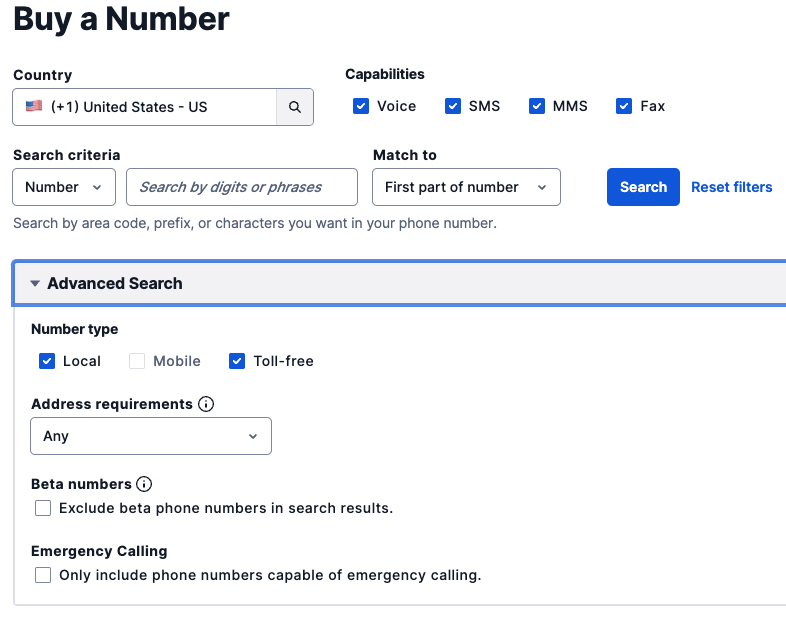
Step 1: Purchase a Twilio Phone Number
Everything begins with choosing a Twilio number. As soon as you buy one, you have a programmable foundation. Although the number looks like a typical business line on the surface, it will not ring your team or route calls anywhere until you design its behavior. Twilio provides the infrastructure, but you define every action that follows.
Step 2: Give Twilio Instructions for Each Call
When someone calls your number, Twilio pauses and sends a request to a URL you set. Your server must respond with a small set of instructions written in TwiML. This simple workflow often becomes the first bottleneck for non-technical teams. Even a basic greeting requires writing XML. Changing business hours requires editing your code. Forwarding calls requires configuring your webhook again.
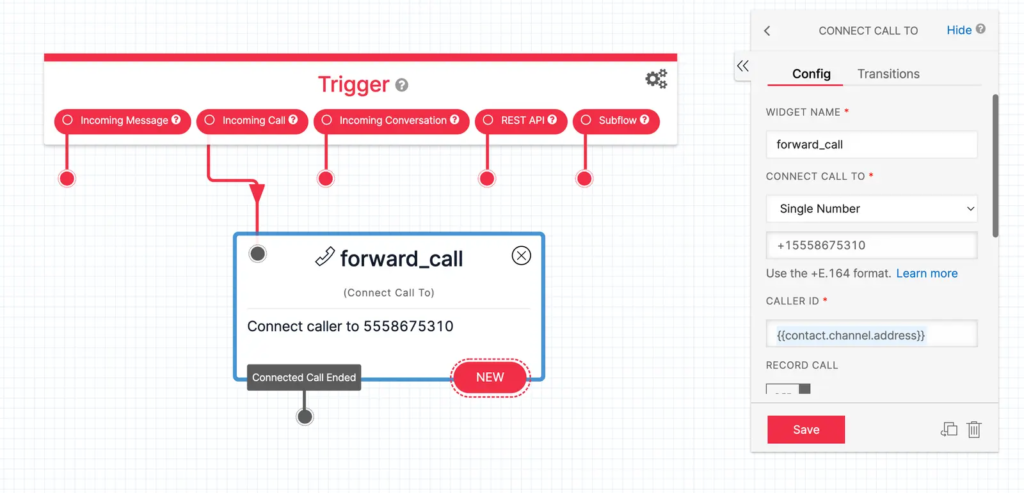
Twilio is not at fault here. It is built for engineers. The complexity comes from the gap between what non-technical businesses need and what a developer-oriented platform expects from them.
Step 3: Shape Your Call Flow
Once the basics are in place, you can start shaping the experience. Many businesses begin with forwarding all calls to one person. As operations grow, you introduce schedules, call rotation, ring groups, menus, or fallbacks when no one answers.
In Twilio, each change requires someone who can update the workflow correctly. A new hire joining the team means changing the configuration. A manager leaving requires removing access and rerouting numbers. Even a simple request like “stop ringing my phone after 5 pm” becomes a mini development task.
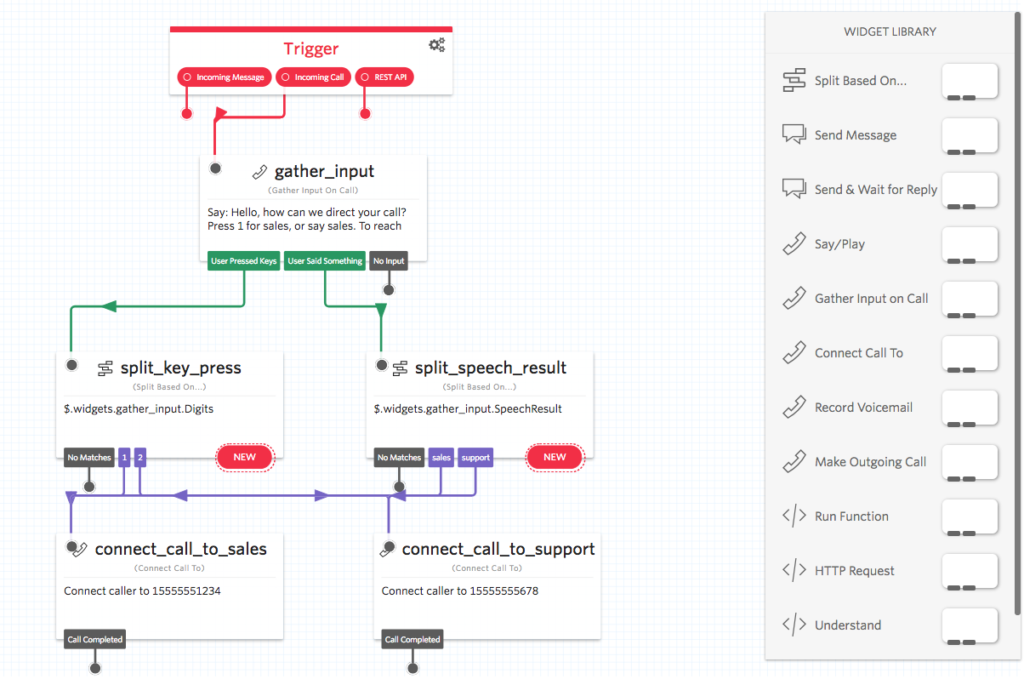
The system can do almost anything, but you need the technical ability to keep up with it.
Step 4: Decide How Your Team Will Answer Calls
Twilio handles the infrastructure, but you choose where calls actually land. Some teams use personal phones, others install softphone apps, and some invest in custom browser dialers. All options work, but the moment your team grows, the setup becomes harder to manage.
Questions begin to pile up. Who should receive what calls? How do you restrict access to certain numbers? How do you prevent after-hours ringing? How do you keep conversations organized when everyone answers on different devices? None of these are unusual challenges, but solving them inside Twilio requires someone who understands the technical architecture.

Where Businesses Usually Feel the Friction
Across hundreds of SMBs and agencies, the challenges tend to fall into the same categories:
- They can buy a Twilio number, but cannot maintain the routing logic
- They rely on one technical person who becomes a bottleneck
- Their call flows become unpredictable as the team grows
- They struggle to track missed calls or shared inbox messages
- They need more visibility but lack the tools to organize calls and messages
These businesses are not looking for a development toolkit. They are looking for a system. That is where WizCaller fits.
A Simpler Path: Build Your Virtual Phone System With WizCaller
If Twilio is the engine, WizCaller is the dashboard. It brings your numbers, call flows, and team activity into one clean workspace without requiring any technical setup. The platform is built for teams that want clarity and control. You configure your virtual phone system in minutes instead of writing or maintaining workflows, and everything lives in a simple interface: your numbers, call settings, message threads, permissions, and analytics.
WizCaller lets you create and route numbers without any technical steps. You can buy or connect numbers, set rules based on schedules or teams, and adjust routing instantly. Each change is visual, so you are not updating webhooks or rewriting logic. This keeps your operations predictable even as your needs evolve.
Your team gets one place to answer calls and manage SMS. The browser dialer and messaging workspace make it easy for everyone to stay aligned. Missed calls, active conversations, and follow-ups are visible instead of scattered across devices.
As you grow, you stay in control through clear permission settings. You can assign access by user, team, client, or number group, and update everything in seconds. No more editing Twilio configurations by hand or worrying about who has access to which number.
When to Choose Twilio and When to Choose WizCaller
If your company wants to build a highly customized communications platform and has developers on staff, Twilio is an excellent foundation.
If your company wants a ready-to-use cloud phone system for business where anyone can set up numbers, route calls, manage permissions, and see team activity, WizCaller is the simpler, faster, and more reliable option.
A Modern Virtual Phone System Shouldn’t Require Engineering
Businesses adopt cloud phone systems to communicate more easily, not to maintain code. WizCaller keeps the benefits of cloud calling while removing the technical overhead. You get flexibility, visibility, and control without having to act like a telecom engineer.
Ready to bring clarity to your business numbers. WizCaller unifies number management, routing, calls, messages, permissions, and analytics in one clean console so your team moves faster with fewer mistakes. From smart routing to shared workspaces and role-based access, you can go live quickly and scale with confidence. Get in touch to see how WizCaller can simplify your communications and elevate your operations.